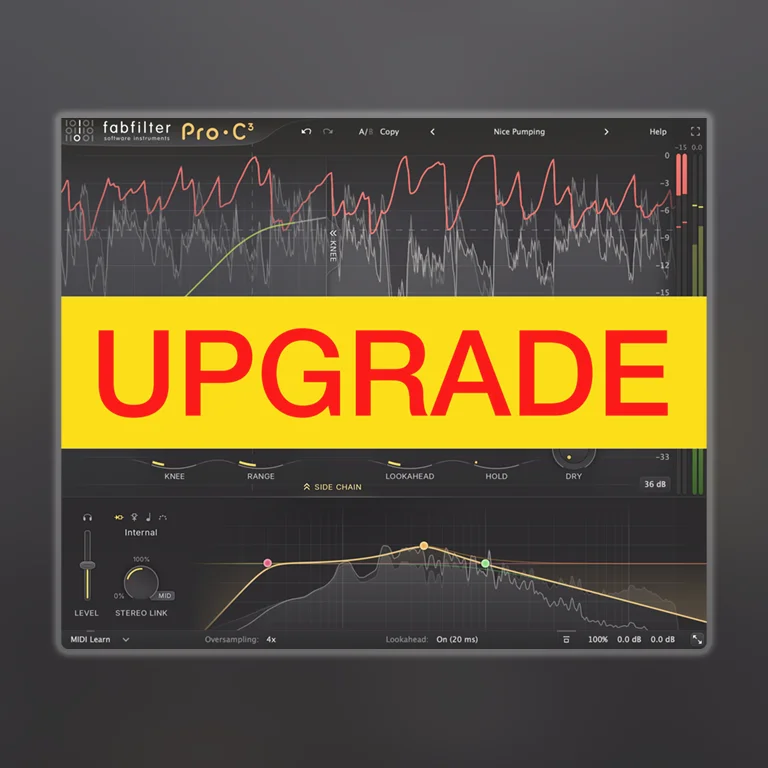

FabFilter Pro-C 3 Upgrade

$84.00

What’s New

  • 6 new compressor algorithms
  • Includes 6 analog-modelled compressors
  • Can be combined with 3 Character Modes for deeper tone shaping
  • Includes analog drift in threshold and drive for added realism
  • Character styles include Tube, Dialed, Bright
  • Can be applied pre or post compression (2 routing options)
Core feature upgrades
  • Auto Threshold mode: compressor adapts independently
  • Sidechain section significantly improved
  • Multiband expansion (up to 6 bands)
  • Oversampling up to 32x
  • Adjustable maximum look-ahead (notably important for Pro Tools users managing latency)
UI / workflow
  • New preset browser
  • Updated look and design
  • New Instance List (modular channel view):
  • View and control multiple FabFilter plugins on a track (currently supports Pro-Q, Pro-G, Pro-DS, Pro-C)
  • Enables unified control and customization across plugins

Core features

Incredible Sound and Character

FabFilter Pro-C 3 is a high-quality compressor plug-in for the most demanding engineers. Whether you need subtle mastering compression, an upfront lead vocal, that magic drum glue or deep EDM pumping: Pro-C 3 gets the job done with style!

Everything You Need

Pro-C 3 offers eight different, program-dependent compression styles with beautiful sound and character. But there’s more! Apart from the classic compressor controls, you also get smooth lookahead, up to 4x oversampling, intelligent auto-gain and auto-release, a variable knee, hold, range, external side-chain triggering, variable stereo linking and mid/side processing, all packed in a beautiful Retina user interface.

Beautiful Interface and Optimized Workflow

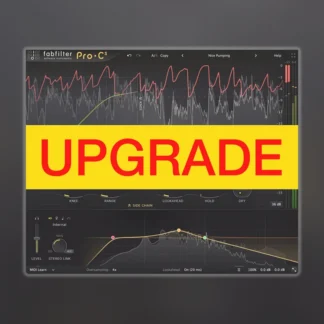
The fully redesigned interface in FabFilter Pro-C 3 offers insightful metering with real-time displays that will greatly improve workflow. The large animated level/knee display visualizes exactly when, why and how compression is applied to incoming audio. Accurate level meters show the exact peak and loudness values, while the circular side-chain input meter turns finding the perfect threshold setting into a trivial task. And the large side-chain EQ controller makes it easier than ever to filter the trigger signal any way you like.

FabFilter Goodies

Of course, you also get all the usual FabFilter goodies: perfectly tuned knobs, interactive MIDI Learn, undo/redo and A/B switch, Smart Parameter Interpolation for smooth parameter transitions, an extensive help file with interactive help hints, sample-accurate automation, advanced optimization and much more!

Description

System Requirements for FabFilter Pro-C 3 Upgrade

Windows requirements

Windows 11, 10, 8, 7 or Vista
64-bit or 32-bit
VST 2/3 or CLAP host, or Pro ToolsIntel or Apple Silicon processor

macOS requirements

macOS 10.13 or higher (64-bit only)

VST 2/3, AU or CLAP host, or Pro Tools

Quick start

The installer will copy the FabFilter Pro-C 3 plug-in into the common VST, VST 3, CLAP, AU (macOS only) and Pro Tools plug-in folders on your computer. On macOS, the global plug-in folders
in /Library/Audio/Plug-Ins are used.

In most cases, your host will then recognize the plugin automatically. However, if the instructions below do not work, see Manual installation instead.

  • Pro Tools : Choose an empty insert slot on one of your audio tracks, instrument tracks or buses and select FabFilter Pro-C 3 from the pop-up menu in the EQ section.
  • Studio One : Click the ‘+’ button next to the Inserts tab of an audio track, instrument track or bus and select ‘Pro-C 3’ from the drop-down menu.
  • Logic Pro : Choose an empty insert slot on one of your audio tracks, instrument tracks or buses and select FabFilter Pro-C 3 from the pop-up menu. You will find FabFilter Pro-C 3 in the Audio Units > FabFilter section (named Pro-C 3).
  • Ableton Live : In Session view, select the track you would like to place FabFilter Pro-C 3 on, for example by clicking the track name. At the left top of Ableton Live’s interface, click on the Plug-in Device Browser icon (third icon from the top). From the plug-ins list, double-click FabFilter > Pro-C 3, or drag it onto the track.
  • Cubase : Choose an empty insert slot, for example in the Mixer, and select EQ > Pro-C 3 from the menu that appears. To use the MIDI features in Pro-C 3, create a new MIDI track and set its output to the Pro-C 3 instance you have just created.

NO REFUND FOR UPGRADE/CROSSGRADE